


These are the docs for Metabase v0.58. Check out the docs for the current stable version, Metabase v0.63.
Custom maps
By default, Metabase uses OpenStreetMap tiles for pin and grid map visualizations, and comes with two built-in region maps - world countries and US states. You can change the tiles used for pin and grid maps, and upload additional region maps.
To find the map settings:
- At the top right of the screen, click gear icon > Admin settings > Settings.
- Select
Mapsfrom the navigation on the left.
Map tile server
By default, Metabase uses the OpenStreetMap tile server for pin and grid maps. If your organization needs a different look or level of detail, you can point Metabase at a different tile server.
The map tile server sets the background imagery for pin and grid maps. It’s not the same as a custom region map, which uses a GeoJSON file to draw region shapes.
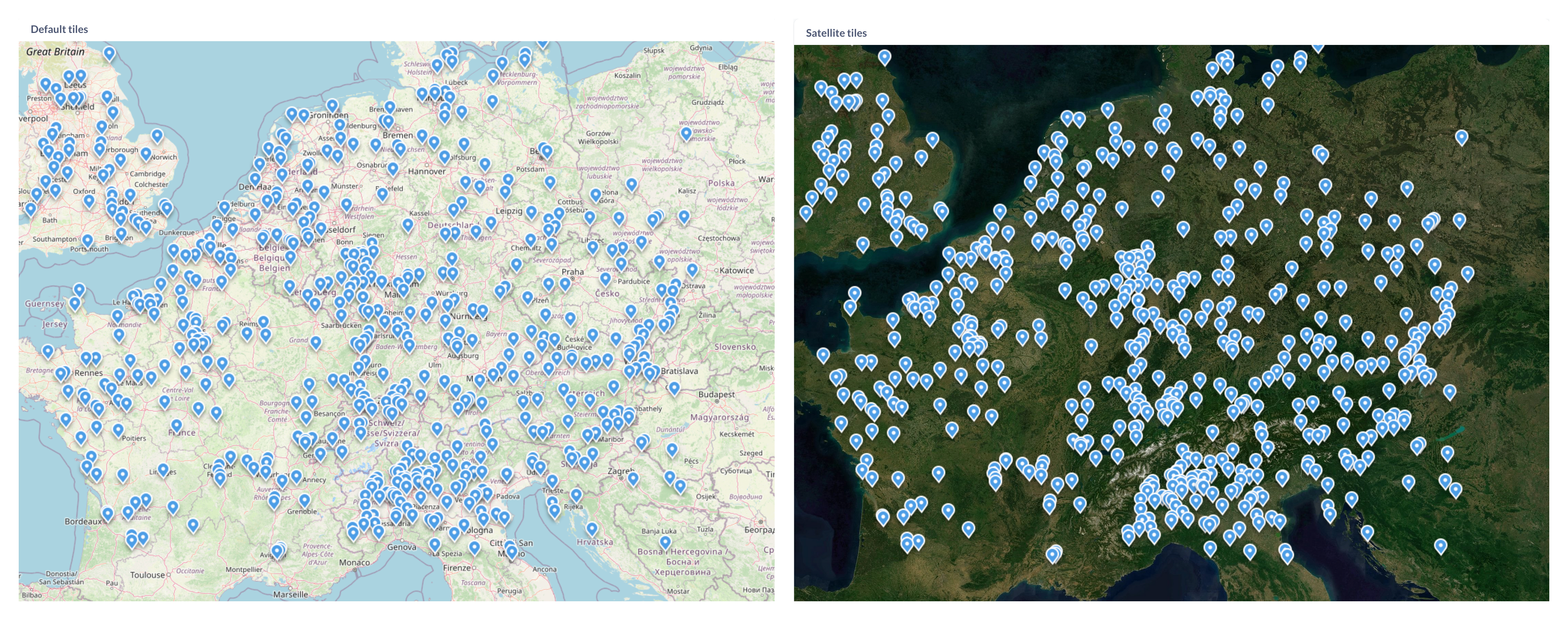
To change the map tile server:
- Go to Admin > Settings > Maps.
- Under Map tile server URL, enter the URL template for your tile server.
Use a raster tile URL template
Metabase renders raster tiles (PNG or JPEG).
The URL must be a template with {z}, {x}, and {y} placeholders, and optionally {s} for a subdomain. Metabase fills in the zoom level and tile coordinates as people pan and zoom around the map. The default OpenStreetMap URL is a good example:
https://{s}.tile.openstreetmap.org/{z}/{x}/{y}.png
Tile server URLs must start with http:// or https://.
Don’t put a private key in the tile server URL
Metabase sends the map tile server URL to the browser, including in embeds and public links. Anyone who can view a map can read the URL and any key in it.
If your tile server needs a key, use a public, client-side key and restrict it to the domains you serve Metabase from. Mapbox, for example, calls these public tokens.
Metabase uses a single tile server per instance. You can’t specify different tiles for different maps.
Custom region maps
Metabase comes with two built-in region maps: world map with countries and United States map with states.
If you need a map of other regions - like EU countries or NYC neighborhoods - you can specify a GeoJSON file containing region information. You can often find GeoJSON maps by searching online for “[Your region] + geojson”, like “NYC neighborhoods GeoJSON.” Many community members and government organizations have already developed map files for common regions. You can also create your own GeoJSON with a tool like MapShaper or GeoJSON.io.
Your GeoJSON file should:
- Be less than 5 MB in size.
- Contain polygon features defining regions (not just points or coordinates)
- Use geographic coordinates (latitude and longitude) to define region polygons. Metabase doesn’t support projected coordinates, so you’ll need to convert projected coordinates to geographic coordinates.
- Accessible by a public URL. Currently, you can’t upload a GeoJSON to Metabase.
To add a custom map:
- Go to Admin Settings > Maps > Custom Maps.
- Click Add a Map.
- Enter a name for your map.
- Provide the URL to your GeoJSON file.
- Specify the JSON properties that should serve as region identifier and region name.
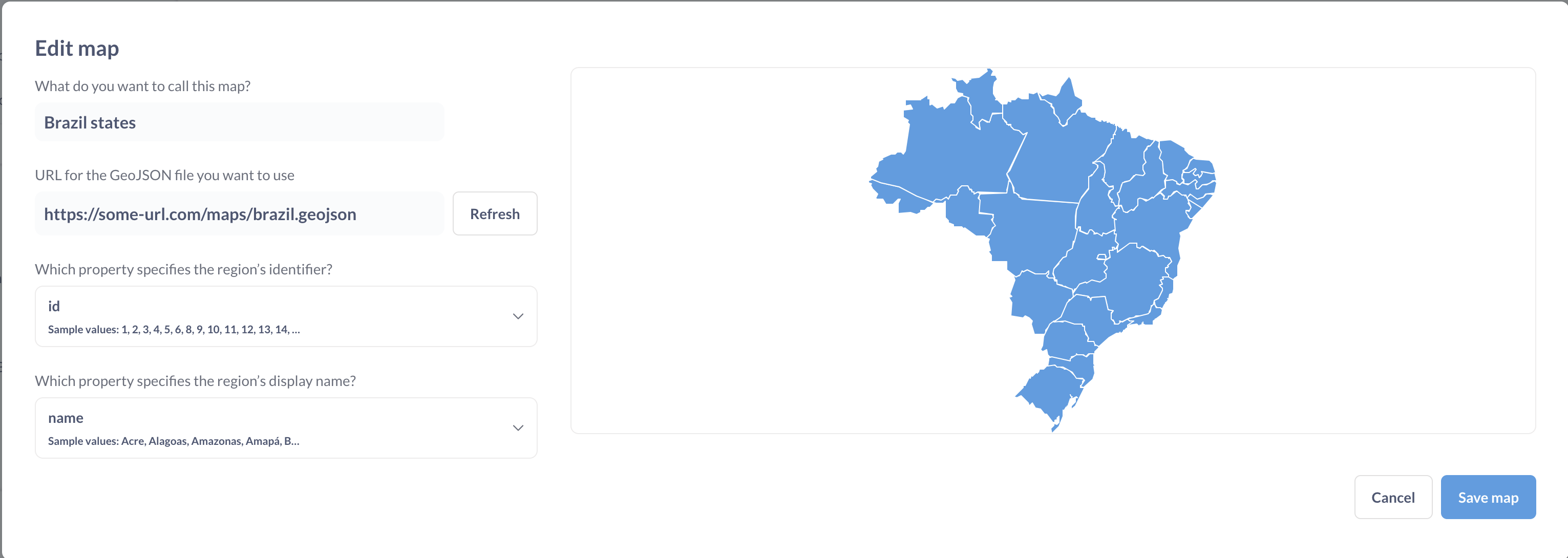
- Name of the map will be displayed in the region selector for custom region maps
- Region’s identifier is a GeoJSON field that identifies your region. The values in this field should match how the regions are referenced in your data. The field does not need to match the display name .
- Region’s display name is a GeoJSON field that specifies how your region name will be displayed on a map. This field can be different from region’s identifier.
To pre-load one or more region maps when Metabase starts, you can use the environment variable MB_CUSTOM_GEOJSON or a config file option custom-geojson .
To disable the creation of custom maps, use the MB_CUSTOM_GEOJSON_ENABLED or a config file option custom-geojson-enabled.
Read docs for other versions of Metabase.