Version v0.41 of Metabase is no longer supported. Check out the docs for the current stable version, Metabase v0.63.
We use Percy via Github actions to run visual regression tests. Percy provides pull-request-based workflow, handles diff review and approval flow conveniently. In addition to that, It integrates with Cypress, which allows us to use all power of our custom helpers and commands. We run
Percy tests are supposed to be run on CI since every run is attached to a pull request. Only when a cypress tests run command is prefixed by percy exec -- and there is a valid PERCY_TOKEN environment variable specified, Percy CLI will submit pages snapshots to Percy servers, and we will be charged for every screenshot. To make use of Percy more cost-efficient, we manually trigger visual tests by posting a PR comment with a @metabase-bot run visual tests command.
In addition to that, we need to ensure that underlying Cypress tests are valid, so we run them without submitting screenshots to Percy on every commit.
1. Write @metabase-bot run visual tests comment in a PR

It triggers a workflow that is visible in the repo Actions tab
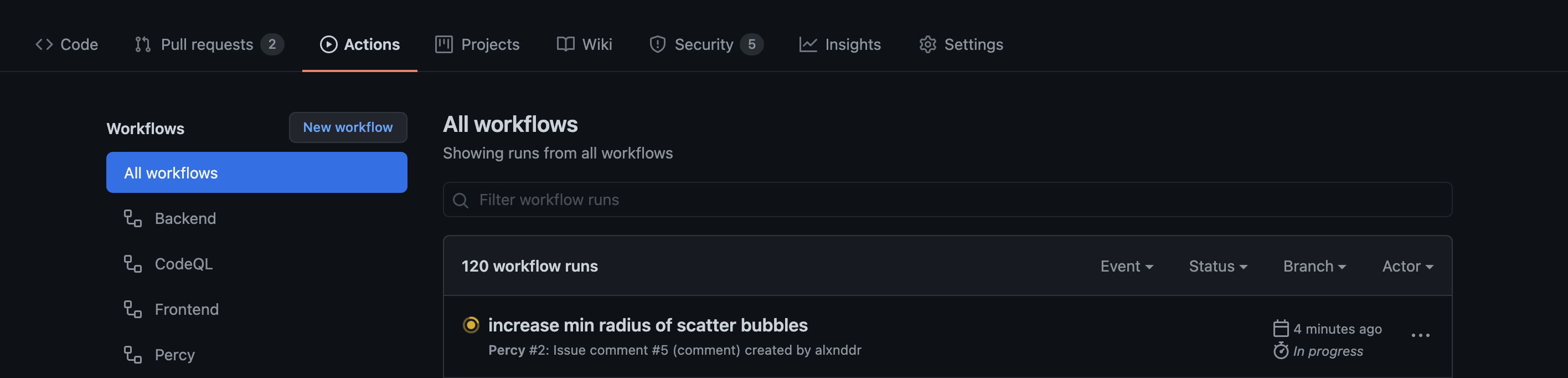
2. If there are some visual changes, it shows a failed Percy check in the PR

3. Once you review and approve the changes, the PR check becomes green


We use Cypress to write Percy tests so we can fully use all existing helpers and custom commands.
Visual regression tests live inside the frontend/test/metabase-visual directory. Writing a Percy test consists of creating a desired page state and executing cy.percySnapshot() command.
Each visual test should cover as many as possible different elements, variants on the same screenshot. For instance, when we are writing E2E test that checks a chart on a dashboard we add just one card and run assertions. In opposite to that, a visual test can contain every type of chart on the same dashboard because it significantly reduces the number of screenshots we produce which reduces the cost of using Percy.
yarn dev or similar commands).yarn test-visual-open to open Cypress locally. You do not need to export any PERCY_TOKEN.frontend/test/metabase-visual and run it via Cypress runner.At this step, if you added percySnapshot command somewhere in your test, you will see percyHealthCheck step in your test:
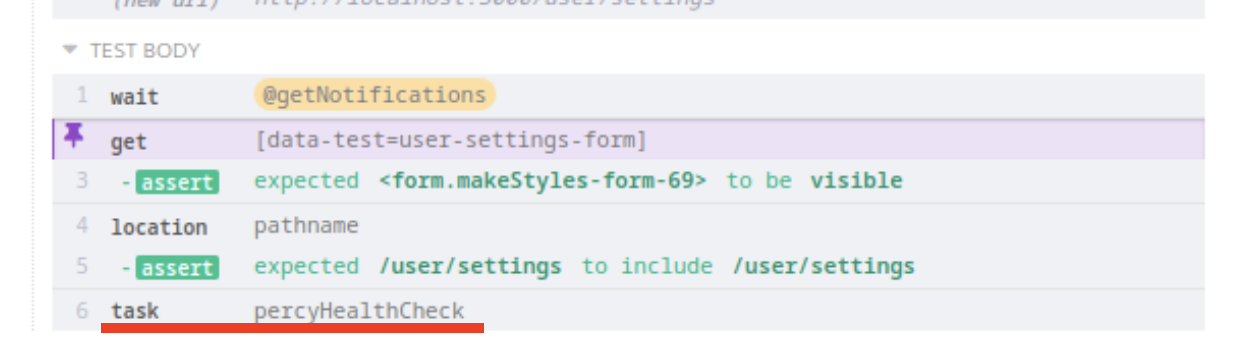
Consider the page state at percyHealthCheck step as the one that will be captured.
PERCY_TOKEN for running tests. If a token is exported Percy will send snapshots from your local machine to their servers so that you will be able to see your local run in their interface.Date.now(), you can freeze date/time in Cypress.Math.random when to deal with randomization.


